
Get a Quote
Use our quote request form for bulk quantity purchases (generally 12+ pieces).
To select blank products, you may either use our GIANT Catalog to pick SKU’s, OR simply describe your needs on the quote request form. We can then assist with your selections.
1) Quote Request FormEasy-to-use interactive quote request form
- Minimum 12pcs (embroidery 48pcs)
- Unknown information can be filled in later, so let’s go ahead and get this process started!
- Specify your print job requirements. Attach your artwork file (if available), or just tell us what you want.
- Describe blank merchandise to print on, OR select SKU’s from our GIANT Catalog (instructions below).
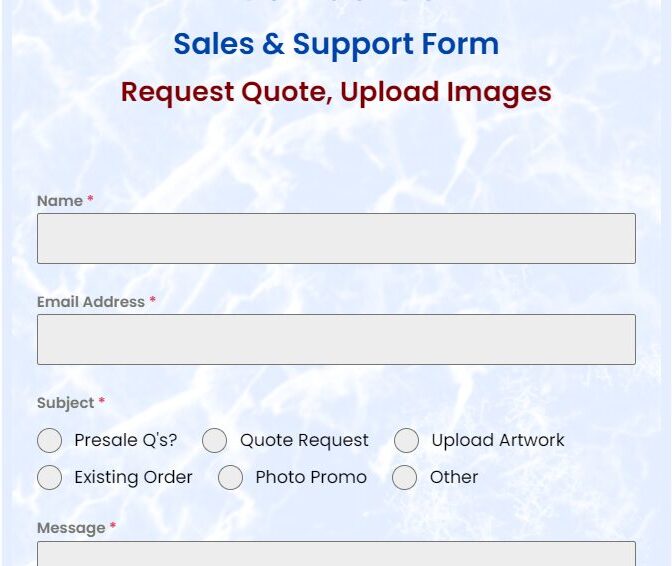
Click for the Quote Request Form
2) Select Blank Products
You may use Zwik’s GIANT Catalog to identify your printable SKUs for your quote request (optional).
Or, you may simply describe your preferences for the merchandise you seek to be printed. We can then assist you with your SKU selections. We can also source promotional products NOT found in our GIANT Catalog (e.g. mousepads, koozies, mugs) – just ask!
GIANT Catalog(optional use for quote)
- Huge selection of brands, styles, sizes, and colors of apparel & accessories
- Thousands of customizable SKU’s
- Lowest prices
- Orders under 12 pieces may be subject to a surcharge
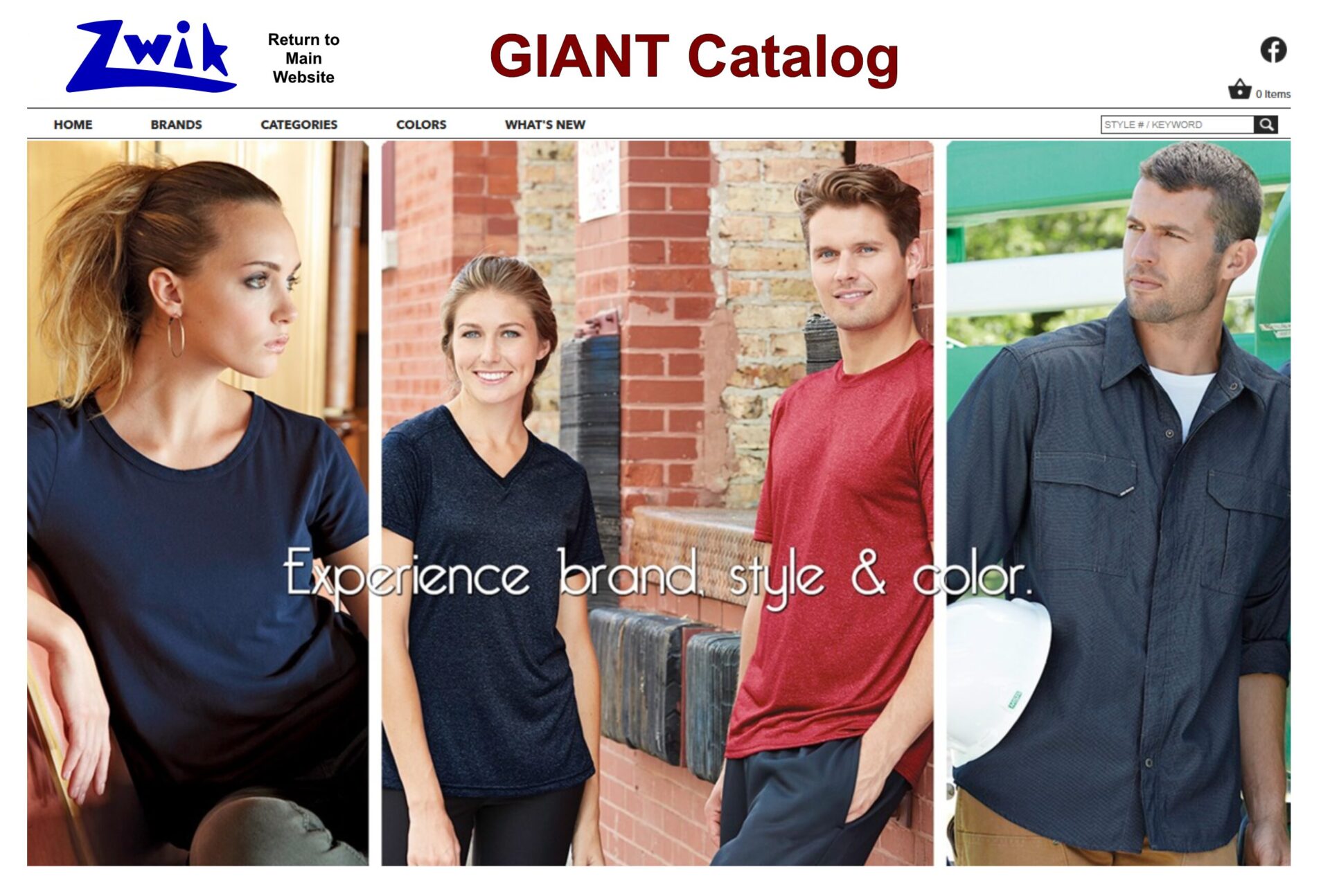
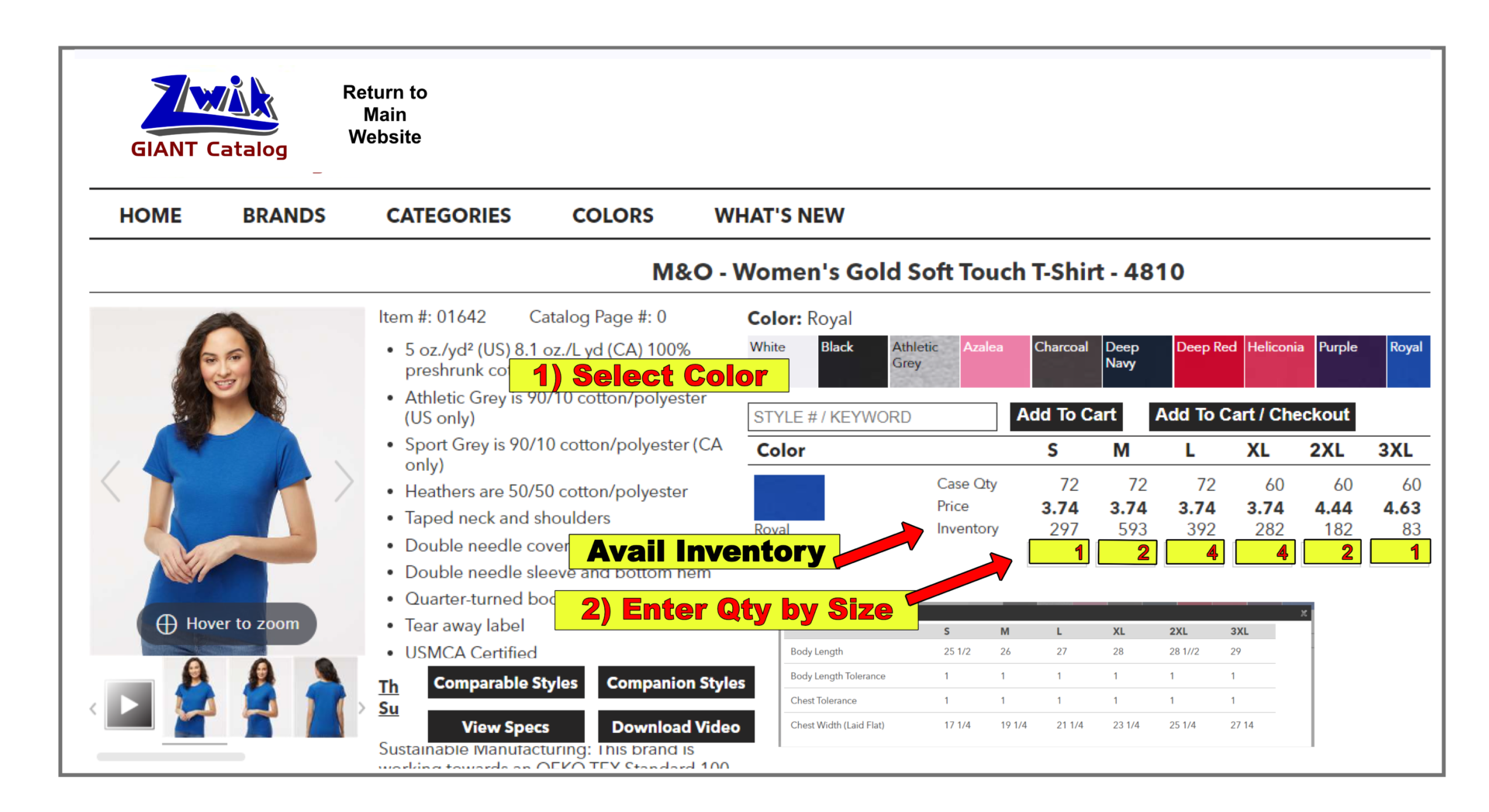
Click to shop the GIANT CatalogInstructions to Use the GIANT CatalogA) To select your desired blank items from our GIANT Catalog.
- Click on the desired color square.
- Enter the quantity for each size (available inventory is listed on the row above).
- Prices do not include printing.
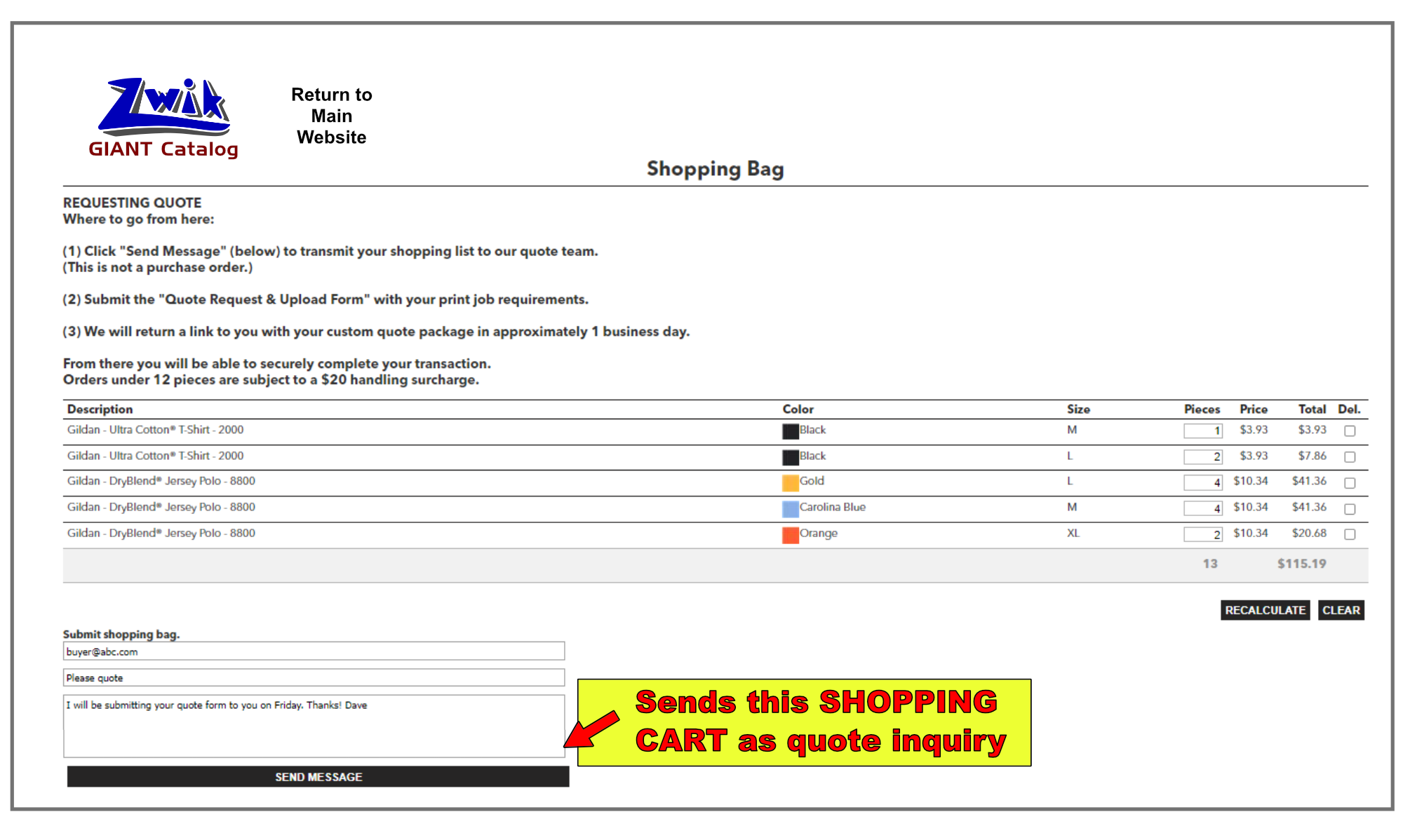
B) Submit your shopping list for quote directly from the GIANT Catalog shopping cart by clicking “send message”.
3) Receive Your Quote
A link to your custom quote will be emailed to you for your review. You may then complete your transaction on our secure website.
GIANT Catalog – screenshot
Categories Menu
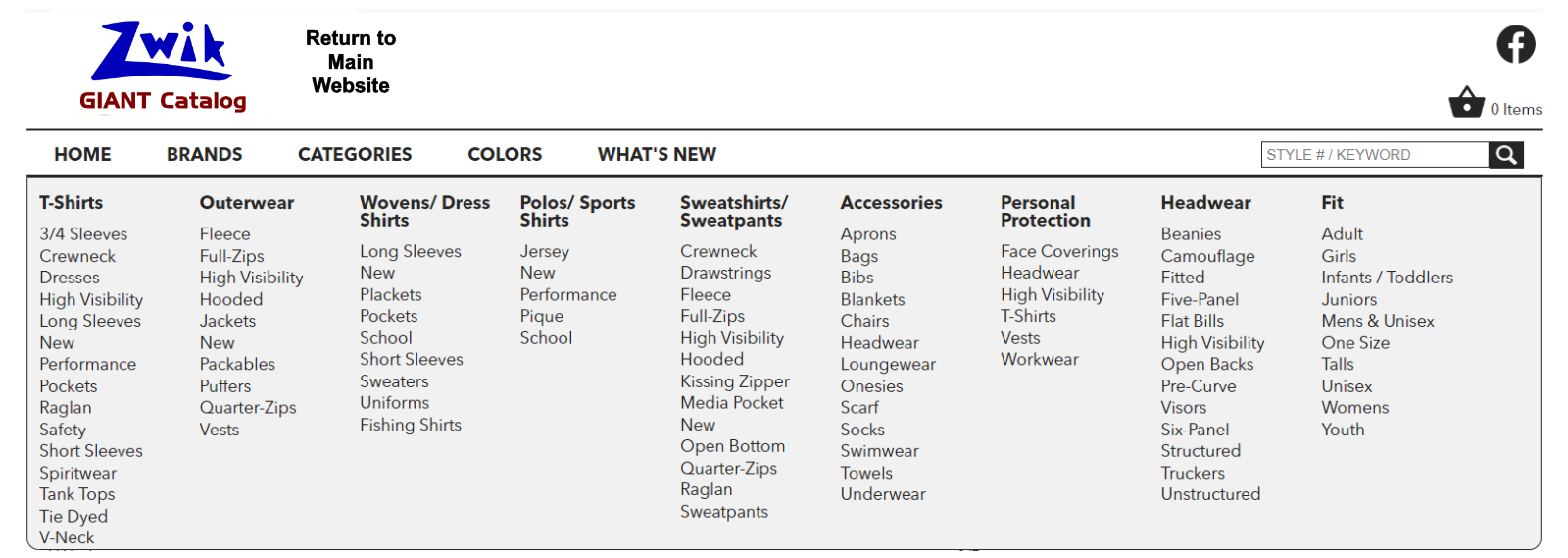
click screenshot to enlarge
If you don’t see your product category or brand, ask!
GIANT Catalog – screenshot
Brands Menu
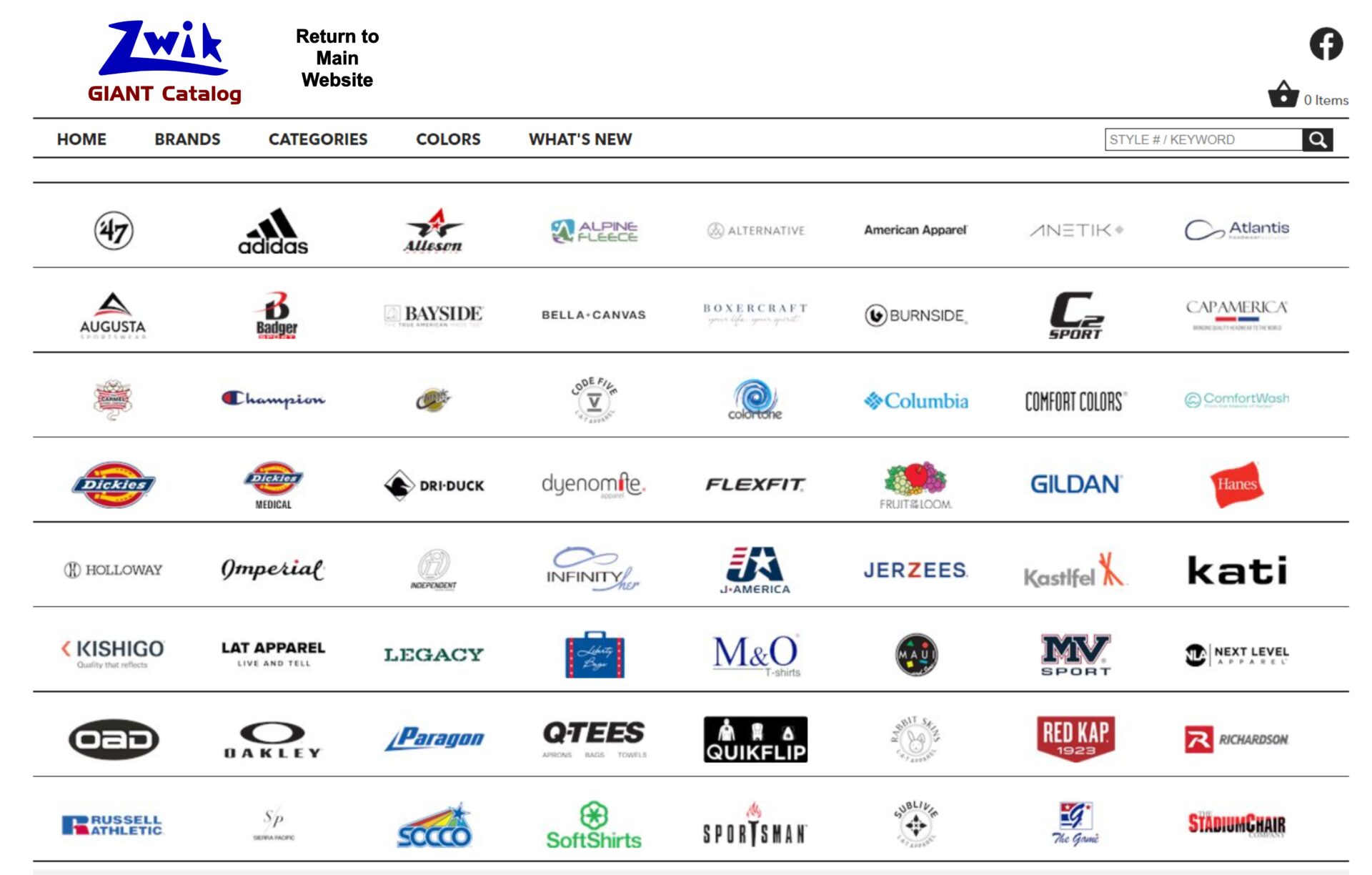
click screenshot to enlarge
GIANT Catalog – Partial Brand List – Alphabetical (expand)
47 Brand
A4
Adams Headwear
Adidas
Alpine Fleece
ALSTYLE
Alternative
American Apparel
Anvil
Atlantis Headwear
Augusta Sportswear
Badger
Bayside
BELLA + CANVAS
Boxercraft
Burnside
C2 Sport
CAP AMERICA
Carmel Towel Company
Champion
Classic Caps
Code Five
Colortone
Columbia
Comfort Colors
ComfortWash by Hanes
DRI DUCK
Dyenomite
Fahrenheit
FeatherLite
Flexfit
Fruit of the Loom
Gildan
Hanes
Hardware
Holloway
Imperial
Independent Trading Co.
IZOD
J. AmericaJERZEESKastlfelKatiKishigoLATLEGACYLiberty BagsM&OMaui and SonsMega CapMV SportNext Level
OAD
Oakley
Outdoor Cap
Paragon
PRIM + PREUX
Puma
Q-Tees
Quikflip
Rabbit Skins
Richardson
Russell Athletic
Sierra Pacific
SOCCO
SoftShirts
Sportsman
SubliVie
The Game
The Stadium Chair
Tommy Hilfiger
Tultex
Valucap
Van Heusen
Weatherproof
YP Classics
If you don’t see what you’re looking for, just ASK!
47 Brand
A4
Adams Headwear
Adidas
Alpine Fleece
ALSTYLE
Alternative
American Apparel
Anvil
Atlantis Headwear
Augusta Sportswear
Badger
Bayside
BELLA + CANVAS
Boxercraft
Burnside
C2 Sport
CAP AMERICA
Carmel Towel Company
Champion
Classic Caps
Code Five
Colortone
Columbia
Comfort Colors
ComfortWash by Hanes
DRI DUCK
Dyenomite
Fahrenheit
FeatherLite
Flexfit
Fruit of the Loom
Gildan
Hanes
Hardware
Holloway
Imperial
Independent Trading Co.
IZOD
J. AmericaJERZEESKastlfelKatiKishigoLATLEGACYLiberty BagsM&OMaui and SonsMega CapMV SportNext Level
OAD
Oakley
Outdoor Cap
Paragon
PRIM + PREUX
Puma
Q-Tees
Quikflip
Rabbit Skins
Richardson
Russell Athletic
Sierra Pacific
SOCCO
SoftShirts
Sportsman
SubliVie
The Game
The Stadium Chair
Tommy Hilfiger
Tultex
Valucap
Van Heusen
Weatherproof
YP Classics
If you don’t see what you’re looking for, just ASK!



To Use Zwik Designer App (for artwork only) While Using the Quote Process
Are you using the Quote Request process (not ordering directly from the BASICS Collection), and need a program to help you design your artwork?
Use our free Zwik Designer tool to create, import and edit your artwork, and then submit it to us directly from the program (free, no payment information collected).
Click here for how to use Zwik Designer for artwork only.